
Navigating the world of online shopping often involves a delicate dance between preferred payment methods and retailer policies. If you’ve ever found yourself with funds in your PayPal account and a burning desire to click “Buy Now” on Amazon, you’ve likely asked the crucial question: can you use PayPal on Amazon? In 2026, with digital transactions becoming more central than ever, understanding the intricacies of payment options across major platforms is essential for a smooth and efficient shopping experience. This comprehensive guide will delve deep into this common query, providing clear answers, practical workarounds, and a full understanding of why things are the way they are between these two digital giants.
Key Takeaways
- Direct PayPal Payments are Not Supported: Amazon does not directly accept PayPal as a payment method for purchases.
- Indirect Methods Exist: Several effective workarounds allow you to use your PayPal funds on Amazon, primarily through gift cards or linked payment cards.
- Amazon Gift Cards are Key: Purchasing an Amazon gift card using your PayPal balance is the most straightforward indirect method.
- PayPal Debit/Credit Cards: Linking a PayPal-branded debit or credit card to your Amazon account enables seamless spending of your PayPal funds.
- PayPal Key: This virtual card service can also bridge the gap, allowing you to use your PayPal balance on Amazon where Mastercard is accepted.
Can You Use PayPal on Amazon? The Direct Answer (and Why Not)
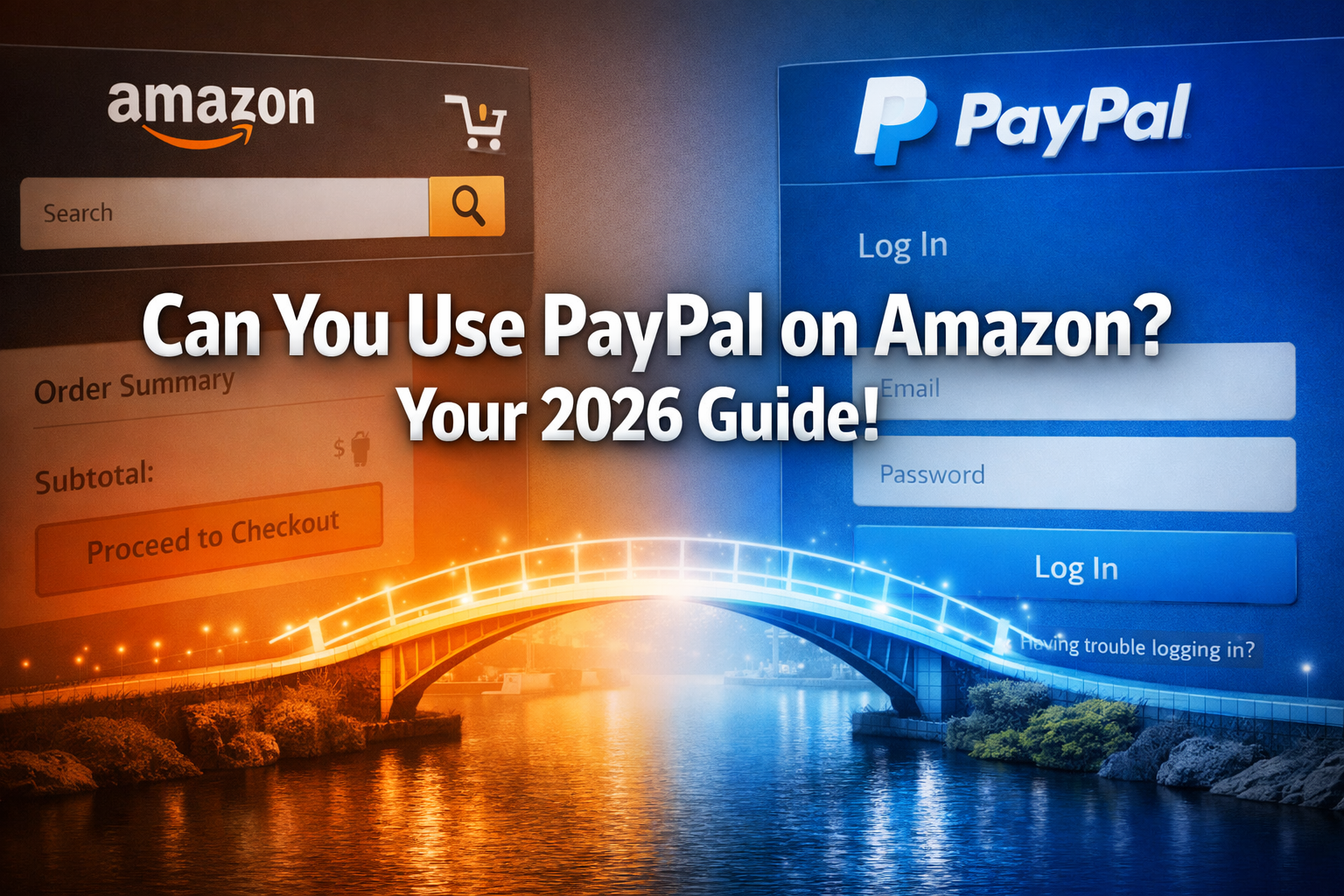
The short and direct answer to can you use PayPal on Amazon is no, not directly. As of 2026, Amazon does not list PayPal as an accepted payment method on its platform. This can be a point of frustration for many shoppers who prefer the convenience and security features offered by PayPal, especially those with a significant balance in their PayPal account.
Why is there this disconnect between two of the internet’s largest e-commerce and payment powerhouses? The primary reason stems from direct competition. Both Amazon and PayPal operate their own robust payment processing systems. Amazon has its own payment gateway and actively promotes its branded credit cards and gift cards, seeking to keep transactions within its ecosystem. Similarly, PayPal is a standalone financial service that charges merchants a fee for processing transactions. For Amazon, integrating PayPal would mean paying these fees and potentially diverting customers away from their proprietary payment solutions. This strategic decision helps Amazon maintain greater control over its transaction processes and associated costs.
However, the story doesn’t end there. While a direct integration is absent, savvy shoppers have discovered (and utilize) several indirect methods to bridge this gap, ensuring that their PayPal funds can indeed contribute to their Amazon shopping sprees.
Indirect Methods: How to Use PayPal on Amazon in 2026
Even though you can’t click a “Pay with PayPal” button directly on Amazon, there are several reliable and secure ways to leverage your PayPal funds for your Amazon purchases. These methods typically involve an intermediary step that converts your PayPal balance into a form Amazon will accept.
1. The Amazon Gift Card Method: Your Best Bet
This is by far the most popular and straightforward workaround when asking can you use PayPal on Amazon? The process is simple: use your PayPal balance to purchase an Amazon Gift Card from a third-party retailer, and then apply that gift card to your Amazon account.
Step-by-Step Guide to Using PayPal for Amazon Gift Cards:
- Find a Reputable Third-Party Retailer: Several online stores sell Amazon Gift Cards and accept PayPal as a payment method. Popular options include:
- eBay: Many sellers on eBay offer Amazon gift cards. Be sure to buy from a reputable seller with high ratings.
- Select Digital Stores: Websites like Dundle, Raise (for discounted gift cards), or others specializing in digital gift card sales often accept PayPal. Always verify the site’s legitimacy before purchasing.
- Purchase the Amazon Gift Card:
- Visit your chosen retailer.
- Select the desired denomination for your Amazon Gift Card.
- During checkout, select PayPal as your payment method.
- Log into your PayPal account to complete the purchase.
- Receive the Gift Card Code: For digital gift cards, the code is typically emailed to you almost instantly or displayed on the confirmation page.
- Redeem on Amazon:
- Go to Amazon.com.
- Navigate to “Accounts & Lists” and then “Gift Cards.”
- Click “Redeem a Gift Card.”
- Enter the code you received from the third-party retailer.
- The funds will be added to your Amazon Gift Card balance, which you can then use for any purchase on Amazon.
This method effectively converts your PayPal balance into Amazon spending power. It’s secure, widely available, and usually quick. 💰
2. Leveraging PayPal’s Debit or Credit Cards
Another excellent way to solve the can you use PayPal on Amazon dilemma is by utilizing PayPal’s own branded payment cards. PayPal offers various cards that can be linked directly to your PayPal account, allowing you to spend your PayPal balance anywhere that accepts Mastercard or Visa.
Options include:
- PayPal Debit Mastercard: This card allows you to directly spend funds from your PayPal balance. It acts just like a regular debit card. You can add this card as a payment method to your Amazon account, and when you make a purchase, the funds will be drawn directly from your PayPal balance.
- PayPal Credit Card: PayPal also partners with financial institutions to offer credit cards that are linked to your PayPal account. If you have one of these, you can add it to your Amazon payment methods and use it for purchases. Any payments you make to the credit card can, in turn, be made from your PayPal balance.
- PayPal Cash Card: Similar to the Debit Mastercard, this card allows you to access your PayPal balance for everyday spending.
How to Use PayPal Debit/Credit Cards on Amazon:
- Obtain a PayPal Card: Apply for a PayPal Debit Mastercard or other PayPal-branded card if you don’t already have one.
- Add Card to Amazon:
- Log in to your Amazon account.
- Go to “Accounts & Lists” and then “Your Payments.”
- Click “Add a payment method.”
- Select “Add a credit or debit card.”
- Enter the details of your PayPal Debit Mastercard or Credit Card (card number, expiration date, security code).
- Shop on Amazon: During checkout, select your added PayPal card as the payment method. The purchase amount will be deducted from your PayPal balance (for debit cards) or charged to your PayPal credit line (for credit cards).
This method offers a more integrated and seamless experience than purchasing gift cards, as it directly uses a payment instrument linked to your PayPal funds.💳
3. PayPal Key: A Virtual Card Solution for Amazon
Introduced as a virtual card service, PayPal Key provides another creative answer to can you use PayPal on Amazon? PayPal Key generates a unique, virtual Mastercard number that is linked to your PayPal account. This allows you to use your PayPal balance anywhere Mastercard is accepted online, without exposing your actual card details.
Using PayPal Key for Amazon Purchases:
- Activate PayPal Key:
- Log into your PayPal account.
- Look for the “PayPal Key” option (it might be under “Wallet” or “Money”).
- Follow the instructions to set up and activate your PayPal Key. You’ll receive a virtual card number, expiration date, and security code.
- Add PayPal Key to Amazon:
- Go to your Amazon account’s “Your Payments” section.
- Click “Add a payment method” and then “Add a credit or debit card.”
- Enter the virtual card details provided by PayPal Key.
- Make Your Amazon Purchase: When checking out on Amazon, select your PayPal Key (which will appear as a Mastercard) as your payment method. The transaction will draw funds directly from your PayPal balance.
PayPal Key offers an added layer of security by using a virtual card number, making it an appealing option for privacy-conscious shoppers. It’s a modern technological solution to a common payment challenge, similar to how blockchain technology explained the future of secure transactions offers enhanced security for digital assets. 🔑
4. Direct Bank Transfer (via PayPal)
While not as direct as the other methods, if your primary goal is to use funds currently in your PayPal account for Amazon, you can always transfer your PayPal balance to your linked bank account. Once the funds are in your bank account, you can then use a debit card linked to that bank account, or an ACH transfer if Amazon offers it for certain purchases, to complete your Amazon order.
Steps:
- Withdraw Funds from PayPal: Initiate a transfer from your PayPal balance to your linked bank account.
- Wait for Transfer: Funds typically take 1-3 business days to clear and appear in your bank account.
- Use Bank-Linked Card on Amazon: Once funds are available, use your debit card (linked to that bank account) or other accepted bank-linked payment methods on Amazon.
This method works, but it involves more steps and a waiting period, making it less convenient for immediate purchases. 🏦
Understanding Amazon’s Accepted Payment Methods in 2026
To fully understand why you can’t directly use PayPal on Amazon, it’s helpful to know what payment methods Amazon does accept. This insight highlights Amazon’s strategic focus on its own payment ecosystem and widely accepted traditional options.
Amazon’s primary accepted payment methods include:
- Credit Cards: Visa, Mastercard, American Express, Discover, JCB, Diner’s Club.
- Debit Cards: Cards with a Visa, Mastercard, American Express, or Discover logo (often processed as credit cards).
- Amazon Gift Cards: Purchased directly from Amazon or third-party retailers.
- Amazon Store Card: A credit card specifically for Amazon purchases.
- Amazon.com Corporate Credit Line: For business accounts.
- Checking Accounts: Via Amazon’s Automated Clearing House (ACH) debit system for certain purchases.
- Amazon Pay: Amazon’s own digital wallet, primarily for use on third-party websites that accept Amazon Pay, not for purchases on Amazon itself. This is akin to PayPal but from Amazon.
Quick Comparison: PayPal vs. Amazon Payment Options
| Feature/Method | PayPal (Typical Usage) | Amazon (Typical Usage) |
|---|---|---|
| Direct Acceptance | Widely accepted by millions of online merchants | Primarily through its own payment infrastructure |
| Branded Cards | PayPal Debit Mastercard, PayPal Credit Card | Amazon Store Card, Amazon Rewards Visa Card |
| Virtual Card Option | PayPal Key (virtual Mastercard) | N/A |
| Gift Card Support | Can purchase gift cards for other retailers | Accepts its own Amazon Gift Cards |
| Wallet/Platform | PayPal (standalone payment platform) | Amazon Pay (for external sites), internal checkout |
| Competition | Competes with other payment processors, including Amazon Pay | Aims to keep payments within its own ecosystem |
This table clarifies that while both companies facilitate online transactions, their approaches to payment processing and acceptance are distinct due to their competitive business models. For more on how businesses leverage technology for growth, you might find articles like how to use AI to grow your business faster than ever insightful. 📊
Security Considerations When Using PayPal on Amazon Indirectly
When employing indirect methods to use PayPal funds on Amazon, it’s natural to have questions about security. In 2026, online security remains paramount for all digital transactions. Rest assured, the recommended workarounds are generally very secure when performed correctly.
- Amazon Gift Cards: Purchasing from reputable third-party sellers minimizes risk. Always check seller reviews and website authenticity. Once the gift card is redeemed on Amazon, it becomes part of your Amazon balance, protected by Amazon’s security measures.
- PayPal Debit/Credit Cards: These are standard payment cards backed by Mastercard or Visa and come with all the fraud protection features associated with those networks. When you add them to Amazon, they are treated like any other credit or debit card, with Amazon’s encryption protecting your card details.
- PayPal Key: This virtual card enhances security by not exposing your actual PayPal account details directly to Amazon. If a data breach were to occur on a merchant site, only the virtual card number would be compromised, which can be easily deactivated and replaced without affecting your core PayPal account. This is a great example of how how Apple uses information technology to stay ahead in protecting user data. 🔒
Both PayPal and Amazon employ advanced encryption and fraud detection systems to protect user information and transactions. As long as you follow best practices – like using strong, unique passwords, enabling two-factor authentication, and being wary of phishing attempts – your funds and personal data should remain secure. 👍
Troubleshooting Common Issues
Even with the best intentions, you might encounter a snag when trying to use PayPal funds indirectly on Amazon. Here are some common issues and their solutions:
- Gift Card Code Not Working:
- Check for Typos: Double-check that you entered the code correctly.
- Verify Source: Ensure the gift card was purchased from a legitimate seller.
- Contact Seller: If purchased from a third-party, contact their customer support.
- Amazon Support: If the issue persists, contact Amazon customer service with your gift card details.
- PayPal Card Declined on Amazon:
- Insufficient Funds: Ensure you have enough balance in your PayPal account (for debit cards) or available credit (for credit cards).
- Billing Address Mismatch: Verify that the billing address associated with your PayPal card on Amazon matches the one on your PayPal account.
- Card Expired: Check the expiration date of your PayPal card.
- Security Hold: Sometimes, large or unusual transactions might trigger a security hold. Contact PayPal support to verify the transaction.
- PayPal Key Not Accepted:
- Mastercard Acceptance: Ensure Amazon’s payment system is correctly identifying PayPal Key as a Mastercard.
- Billing Information: Double-check that the billing information entered on Amazon matches what PayPal has for your Key.
- Daily Limits: PayPal Key might have daily transaction limits.
- Contact PayPal: If the virtual card details are correct and sufficient funds are available, reach out to PayPal support.
By being aware of these potential issues, you can quickly address them and continue with your Amazon purchases using your PayPal funds. For broader tech support, understanding how technology impacts daily life, as explored in how do you feel about technology?, can be quite helpful. 🛠️
Future Outlook: Will Amazon Ever Accept PayPal Directly?
The question “can you use PayPal on Amazon” often leads to speculation about future direct integration. While there’s no official indication from either company that direct PayPal payments will be accepted on Amazon anytime soon, the landscape of digital payments is constantly evolving.
- Competitive Landscape: As mentioned, the primary barrier is the direct competition between Amazon’s payment ecosystem and PayPal. Unless a mutually beneficial agreement can be reached that addresses transaction fees, data sharing, and strategic alignment, a direct integration remains unlikely.
- Emerging Payment Technologies: The rise of new payment technologies, including cryptocurrency and instant payment networks, could potentially shift the dynamics. However, both Amazon and PayPal are exploring these areas independently. For instance, understanding is the greatest crypto bull run around the corner? highlights new trends in digital finance that could influence future payment options.
- Consumer Demand: Persistent consumer demand for PayPal integration could theoretically pressure Amazon, but given the success of Amazon’s current payment options and the available workarounds, this pressure may not be strong enough to force a policy change.
For the foreseeable future, it is safe to assume that the indirect methods outlined in this guide will remain the primary ways to utilize your PayPal balance for Amazon purchases. Shoppers in 2026 will continue to rely on gift cards, PayPal’s own branded cards, and virtual card solutions like PayPal Key to bridge the gap. 🔮
Conclusion: Empowering Your Amazon Shopping with PayPal Funds
While the straightforward answer to “can you use PayPal on Amazon?” is no, this comprehensive guide demonstrates that you are far from out of options. In 2026, the absence of direct integration doesn’t mean your PayPal funds are off-limits for your Amazon shopping cart. By understanding and utilizing the effective indirect methods—primarily through Amazon Gift Cards, PayPal’s own debit/credit cards, or the innovative PayPal Key virtual card—you can seamlessly convert your PayPal balance into purchasing power on the world’s largest online retailer.
These workarounds are not just about convenience; they offer flexibility and, in some cases, enhanced security for your online transactions. Choosing the best method depends on your immediate needs, security preferences, and how often you plan to make such transfers. Whether you’re a seasoned online shopper or new to navigating digital payments, knowing these strategies empowers you to make the most of your financial resources across different platforms.
Actionable Next Steps:
- Assess Your Needs: Determine if you need an immediate solution (gift card) or a more permanent integration (PayPal Debit Mastercard/Key).
- Choose Your Method: Select one of the indirect methods discussed (Amazon Gift Cards, PayPal Debit/Credit Card, or PayPal Key).
- Execute the Steps: Follow the detailed instructions for your chosen method to begin using your PayPal funds on Amazon.
- Prioritize Security: Always ensure you are using reputable sources for gift card purchases and maintaining strong account security for both PayPal and Amazon.
- Stay Informed: Keep an eye on updates from both Amazon and PayPal, as payment policies can evolve over time.
By embracing these solutions, you can confidently answer the question “can you use PayPal on Amazon?” with a resounding “yes, indirectly and effectively!”
Frequently Asked Questions about Using PayPal on Amazon


 By
By


 By
By