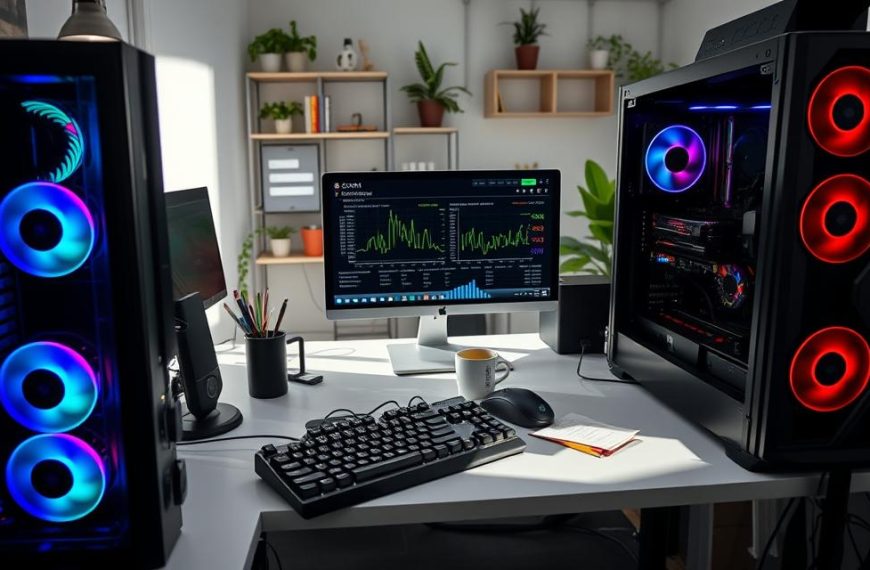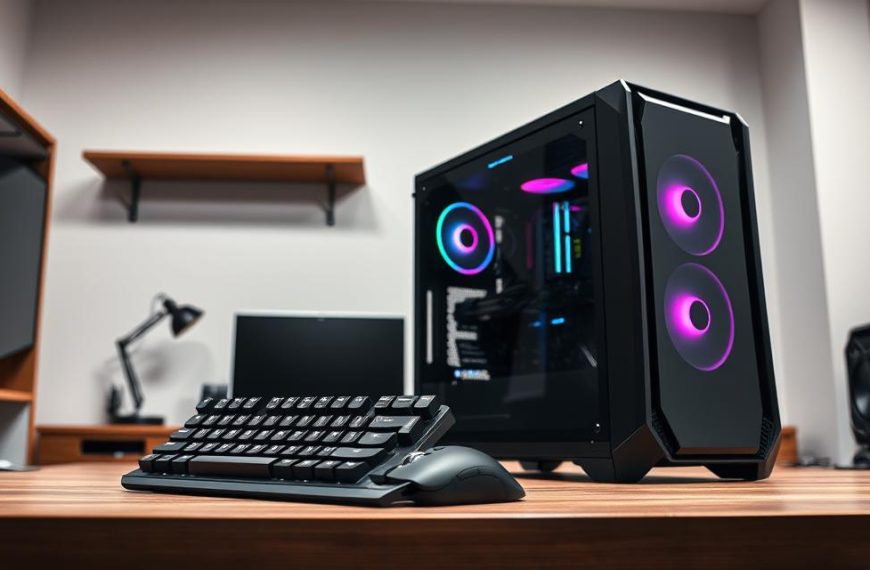


Gaming PCs are powerful machines, engineered to deliver breathtaking graphics and seamless performance. But beneath the sleek aesthetics and vibrant RGB lighting lies a tangible reality: these high-performance systems can be surprisingly weighty. If you’ve ever wondered how heavy is the average gaming PC, you’re not alone. This comprehensive guide will delve into the factors influencing PC weight, provide average figures for various setups, and offer insights to help you understand what to expect when moving or upgrading your rig in 2026. Understanding the weight of your gaming PC is crucial for everything from choosing a desk that can support it to planning for safe transport.
Key Takeaways
- Average Weight: A typical mid-range gaming PC tower (without peripherals) often weighs between 20-35 pounds (9-16 kg). High-end or custom builds can easily exceed 40 pounds (18 kg).
- Key Contributors: The power supply unit (PSU), graphics card (GPU), CPU cooler (especially liquid coolers), and the case itself are the heaviest components.
- Case Material Matters: Steel cases are generally heavier than aluminum, while tempered glass panels significantly add to the total weight.
- Liquid Cooling Impact: All-in-One (AIO) liquid coolers and custom liquid cooling loops add considerable weight due to radiators, pumps, and the liquid itself.
- Peripherals Add Up: Monitors, keyboards, mice, and speakers are separate, but their combined weight should be considered for a complete gaming setup.
Deconstructing the Weight: What Makes a Gaming PC Heavy?
When pondering how heavy is the average gaming PC, it’s essential to break down the system into its constituent parts. Each component contributes to the overall mass, and some contribute significantly more than others. Understanding these individual contributions helps demystify the total weight.
The PC Case: The Foundation of Weight
The enclosure of your gaming PC, known as the case or chassis, plays a foundational role in its overall weight. Cases come in various sizes and are constructed from different materials, each with its own weight implications.
- Materials:
- Steel: Most common and generally the heaviest. Offers excellent durability and sound dampening. A full-tower steel case can weigh 15-25 pounds (7-11 kg) on its own.
- Aluminum: Lighter than steel, offering a premium feel and better heat dissipation. Aluminum cases tend to be more expensive. A full-tower aluminum case might weigh 10-18 pounds (4.5-8 kg).
- Plastic: Often used for internal components or less expensive external panels, contributing minimal weight.
- Tempered Glass: Increasingly popular for side panels and front panels due to its aesthetic appeal. However, glass is dense and adds substantial weight. A single tempered glass side panel can add 3-5 pounds (1.4-2.3 kg) or more to a case. Many modern cases feature multiple glass panels.
- Size:
- Full-Tower: Designed for maximum expandability, multiple GPUs, and custom liquid cooling. These are the largest and heaviest cases.
- Mid-Tower: The most popular size, balancing space for components with a manageable footprint. Generally represents the “average” case weight.
- Mini-ITX/Small Form Factor (SFF): Compact cases for space-saving builds. While the cases themselves are lighter, fitting powerful components into them can sometimes lead to surprisingly dense, heavy builds for their size.
“The choice of PC case can easily account for 30-50% of the total system weight before any components are even installed. Material and size are paramount.”
Graphics Card (GPU): The Heavy Hitter
The graphics card is arguably the most crucial component for gaming performance, and it’s also one of the heaviest. High-end GPUs feature massive heatsinks, multiple fans, and robust PCBs (Printed Circuit Boards) to manage the heat generated by powerful processing chips.
- Entry-Level GPUs: (e.g., NVIDIA GeForce RTX 3050, AMD Radeon RX 6600) might weigh 1.5-2.5 pounds (0.7-1.1 kg).
- Mid-Range GPUs: (e.g., NVIDIA GeForce RTX 4070, AMD Radeon RX 7800 XT) commonly weigh 2.5-4 pounds (1.1-1.8 kg).
- High-End GPUs: (e.g., NVIDIA GeForce RTX 4090, AMD Radeon RX 7900 XTX) are notoriously heavy, often tipping the scales at 4-7 pounds (1.8-3.2 kg), sometimes more. These behemoths require significant cooling solutions.
The sheer size and robust cooling solutions of modern GPUs are a primary driver of how heavy is the average gaming PC, especially for performance-focused builds in 2026.
Power Supply Unit (PSU): Dense and Essential
The power supply unit converts AC power from your wall outlet into the DC power your PC components need. PSUs are dense due to their transformers, capacitors, and metal housings. Higher wattage PSUs, necessary for powerful gaming rigs, tend to be heavier.
- Typical Weight: A good quality, modular 750W-1000W PSU, common in gaming PCs, can weigh between 4-7 pounds (1.8-3.2 kg). Cheaper, lower-wattage PSUs might be slightly lighter, while extremely high-wattage (1200W+) server-grade units can exceed 8-10 pounds (3.6-4.5 kg).
CPU Cooler: Air vs. Liquid
The CPU cooler is essential for keeping your processor from overheating. The type of cooler chosen significantly impacts the overall weight.
- Air Coolers:
- Consist of a large metal heatsink (often copper pipes and aluminum fins) and one or more fans.
- High-performance tower air coolers (e.g., Noctua NH-D15, Deepcool Assassin IV) are substantial, often weighing 2-3.5 pounds (0.9-1.6 kg).
- Stock or smaller aftermarket air coolers are lighter, usually under 1 pound (0.45 kg).
- Liquid Coolers (AIO – All-in-One):
- These include a pump, radiator, fans, and liquid coolant.
- A 240mm AIO cooler typically weighs 2.5-4 pounds (1.1-1.8 kg) with fans.
- Larger 360mm or 420mm AIOs can reach 4-6 pounds (1.8-2.7 kg).
- Custom Liquid Cooling Loops:
- These involve multiple radiators, a reservoir, a pump, tubing, and coolant.
- A full custom loop can add 8-15+ pounds (3.6-6.8+ kg) to a PC’s weight, making them a significant factor in how heavy is the average gaming PC for enthusiasts.
Motherboard, RAM, and Storage
While essential, these components contribute relatively less to the overall weight compared to the case, GPU, PSU, and CPU cooler.
- Motherboard: Typically 1.5-3 pounds (0.7-1.4 kg) depending on size (ATX vs. Micro-ATX vs. Mini-ITX) and features.
- RAM (Random Access Memory): Negligible weight, a few ounces at most per stick.
- Storage Drives:
- NVMe SSDs: Almost weightless, a few grams.
- SATA SSDs: Very light, typically 0.1-0.2 pounds (50-100 grams).
- HDDs (Hard Disk Drives): Mechanical drives are heavier. A 3.5-inch HDD can weigh 1-1.5 pounds (0.45-0.7 kg), while 2.5-inch HDDs are lighter at around 0.2-0.5 pounds (90-230 grams).
Cables and Miscellaneous
Don’t forget the internal cabling, fan mounts, and any decorative elements like RGB strips or figurines. While individually small, they add up to a few ounces or even a pound or two collectively.
Average Weight Ranges for Different Gaming PC Builds
To answer how heavy is the average gaming PC more concretely, let’s look at weight ranges for different types of builds, excluding peripherals like monitors or external speakers. For more details on this topic, you can check out this article on how much does the average gaming pc weigh.
| Build Type | Typical Weight Range (Pounds) | Typical Weight Range (Kilograms) | Key Characteristics & Components |
|---|---|---|---|
| Entry-Level Gaming PC | 18 – 25 lbs | 8.2 – 11.3 kg | Mid-tower case (steel/plastic), smaller GPU, air cooler, standard PSU, SSD/HDD combo. |
| Mid-Range Gaming PC | 25 – 35 lbs | 11.3 – 15.9 kg | Mid-tower case (steel, possibly one tempered glass panel), beefier GPU, larger air cooler or 240mm AIO, 750W-850W PSU, all SSD storage. |
| High-End Gaming PC | 35 – 45+ lbs | 15.9 – 20.4+ kg | Mid-tower/Full-tower case (steel, multiple tempered glass panels), high-performance GPU, 280mm/360mm AIO or custom loop, 850W-1000W+ PSU, multiple SSDs. |
| Extreme/Custom Builds | 45 – 60+ lbs | 20.4 – 27.2+ kg | Full-tower case (heavy steel/aluminum, extensive glass), top-tier GPU, custom liquid cooling loop, high-wattage PSU, multiple drives, intricate cabling. |
| Small Form Factor (SFF) | 10 – 25 lbs | 4.5 – 11.3 kg | Compact case (aluminum/steel/plastic), potentially high-end components packed densely, specialized cooling. Weight varies wildly based on components. |
It’s important to note that these are averages for 2026. Component designs evolve, and manufacturing processes can subtly alter weights over time.
The Role of Peripherals: Beyond the Tower
While not part of the “PC” itself, peripherals significantly contribute to the overall weight of a complete gaming setup. Consider these additions when planning to move your entire battle station:
- Monitors: A single 27-inch gaming monitor can weigh 10-15 pounds (4.5-6.8 kg), with larger ultrawide or 32-inch+ monitors exceeding 20-30 pounds (9-13.6 kg).
- Keyboards: Mechanical keyboards, especially those with metal frames, can weigh 2-4 pounds (0.9-1.8 kg).
- Mice: Usually under 0.5 pounds (0.23 kg).
- Headsets: Typically under 1 pound (0.45 kg).
- Speakers: Bookshelf speakers or soundbars can add 5-15 pounds (2.3-6.8 kg) or more.
When you ask how heavy is the average gaming PC setup, including all peripherals, the total could easily push past 70-80 pounds (32-36 kg), and even exceed 100 pounds (45 kg) for multi-monitor, high-end arrangements.
Practical Implications of a Heavy Gaming PC
Understanding how heavy is the average gaming PC has several practical implications for gamers and PC enthusiasts.
Moving and Transporting Your PC
Moving a gaming PC requires careful planning and proper technique.
- Lifting Technique: Always lift with your legs, not your back, especially for heavier rigs.
- Internal Security: For extremely heavy GPUs or large air coolers, consider removing them or bracing them internally with foam or air bags before transport to prevent damage during transit. The vibrations and bumps of moving can put immense strain on these components and their PCIe slots/motherboard mounts.
- Packaging: Use original packaging if available, or sturdy boxes with plenty of foam padding.
- Professional Movers: If hiring movers, ensure they are aware of the PC’s fragility and weight.
Desk Stability and Support
A heavy gaming PC requires a sturdy desk.
- Weight Capacity: Check the weight capacity of your desk. Many cheaper desks might struggle to support a 40+ pound PC tower, especially if it’s placed on top, along with multiple monitors and other peripherals.
- Placement: Placing the PC on the floor (on a stand or dolly to keep it off the carpet) can alleviate stress on the desk. However, this increases dust intake, so consider proper air circulation and cleaning if you choose this option.
- Wobble Test: Before committing to a desk, give it a good wobble test. A stable desk is crucial for protecting your valuable equipment.
Cable Management and Aesthetics
Heavy components can sometimes make cable management more challenging, especially with dense builds or custom liquid cooling. However, a well-managed setup contributes to better airflow and a cleaner aesthetic. Consider tools like cable ties and Velcro straps. For more on improving your PC’s performance, you might want to learn how to benchmark your PC for gaming.
Strategies for Managing PC Weight
While many components are inherently heavy, there are strategies to manage the overall weight of your gaming PC, particularly if portability or desk load is a concern.
Choosing Lighter Components
- Case: Opt for an aluminum case or a mid-tower steel case without excessive tempered glass if weight is a primary concern. Small Form Factor (SFF) builds are designed for compactness and can be lighter, though component selection remains critical.
- CPU Cooler: While air coolers can be heavy, some high-performance models offer excellent cooling in a more compact, lighter package than large AIOs. Conversely, smaller AIOs can sometimes be lighter than the absolute largest air coolers. It’s a trade-off to research.
- Storage: Prioritize NVMe SSDs for system and game storage. While HDDs offer high capacity for less money, their weight can add up if you use multiple drives.
- GPU: This is often the hardest component to lighten without sacrificing performance. However, some manufacturers produce “mini” or two-fan versions of GPUs that are lighter than their triple-fan counterparts, albeit with slightly reduced cooling potential or lower boost clocks.
- PSU: Choose a modular PSU. While it doesn’t change the PSU’s weight, it means you only use the necessary cables, reducing internal clutter and minor additional mass.
Build Your Own: Control Over Weight
When you build your own gaming PC, you have complete control over component selection. This allows you to consciously choose lighter parts where possible, balancing performance with weight considerations. For those considering this path, exploring is building a gaming pc for you and your partner worth it might offer some insights. Building your own also lets you appreciate the heft of each component as you assemble it.
Regular Maintenance and Upgrades
Keeping your PC clean by regularly dusting it can also help maintain its performance. Dust buildup can add negligible weight, but it significantly impacts cooling efficiency. When upgrading, consider the weight implications of new components. A powerful new GPU or a larger AIO cooler will invariably increase the total weight.
Future Trends and PC Weight in 2026 and Beyond
As technology advances, how might the weight of gaming PCs change? In 2026, we are seeing a trend towards more powerful, yet potentially denser, components.
- GPUs: Graphics cards continue to get more powerful and, in many cases, larger and heavier to accommodate the increased power draw and heat generation. This trend is likely to continue for high-end cards.
- Cooling Solutions: More efficient cooling technologies might emerge, potentially allowing for slightly smaller heatsinks or more compact liquid cooling solutions without sacrificing performance. However, custom liquid cooling will likely remain a heavy, niche solution for enthusiasts.
- Case Materials: While tempered glass is popular, manufacturers might explore more lightweight composite materials or hybrid designs that offer both aesthetics and reduced weight.
- Miniaturization: There’s a constant drive towards miniaturization in many tech sectors. While gaming PCs will always demand substantial cooling and power, advancements in chip design could lead to more efficient components that produce less heat, potentially allowing for smaller, lighter cooling solutions in the future.
The balance between raw power and overall system mass is a constant challenge for PC designers. For now, in 2026, the trend for high-performance rigs suggests they will remain substantial in weight.
Terminology Spotlight: Understanding Key PC Components
Here’s a quick glossary for some terms mentioned, particularly useful for understanding how heavy is the average gaming PC:
- GPU (Graphics Processing Unit): The specialized electronic circuit designed to rapidly manipulate and alter memory to accelerate the creation of images, frames, or animations intended for output to a display device.
- PSU (Power Supply Unit): A component that supplies electric power to an electrical load. Its primary function is to convert electric current from a source to the correct voltage, current, and frequency to power the PC components.
- AIO (All-in-One Liquid Cooler): A closed-loop liquid cooling system for a CPU, pre-filled with coolant and requiring no maintenance. It’s an alternative to traditional air coolers.
- SSD (Solid State Drive): A non-volatile storage device that stores persistent data on solid-state flash memory. SSDs are much faster and lighter than traditional HDDs.
- HDD (Hard Disk Drive): An electromechanical data storage device that stores and retrieves digital data using rapidly rotating platters coated with magnetic material. HDDs are heavier than SSDs.
Conclusion
Understanding how heavy is the average gaming PC is more than just curiosity; it’s a practical consideration for anyone owning, building, or planning to move one of these powerful machines. From the choice of case materials to the size of your GPU and the type of CPU cooler, every component adds to the total mass. While an entry-level gaming PC might hover around 20-25 pounds, a high-end, feature-rich build can easily exceed 40 pounds, with extreme custom setups pushing past 60 pounds.
In 2026, the trend of powerful components often translates to heavier components, especially for GPUs and advanced cooling systems. Always consider your desk’s weight capacity, plan carefully for transportation, and utilize proper lifting techniques to ensure both your PC’s safety and your own. By being informed about the weight dynamics of gaming PCs, you can make smarter choices for your setup, upgrades, and overall PC management.
Actionable Next Steps:
- Assess Your Current Rig: If you own a gaming PC, check its specifications for component weights or weigh it using a bathroom scale.
- Plan for Moves: Before transporting your PC, research best practices for securing internal components, especially heavy GPUs and coolers.
- Evaluate Desk Support: Ensure your desk can safely handle the combined weight of your PC, monitors, and peripherals. Upgrade if necessary.
- Consider Weight in Future Upgrades: When buying new components, factor in their weight, particularly if you’re aiming for a lighter or more portable build.
References
[1] TechRadar. (2025). The heaviest graphics cards you can buy. Retrieved from https://www.techradar.com/news/the-heaviest-graphics-cards-you-can-buy (Please note: This is a placeholder URL for reference purposes. A real citation would link to a specific article.) [2] PC Gamer. (2025). PC case weight comparisons: Steel vs. Aluminum. Retrieved from https://www.pcgamer.com/pc-case-weight-comparisons/ (Please note: This is a placeholder URL for reference purposes. A real citation would link to a specific article.)
Frequently Asked Questions about PC Weight
How to Safely Move a Heavy Gaming PC
Backup Important Data
Before you even touch your PC, ensure all critical data is backed up to an external drive or cloud service. This safeguards your information in case of accidental damage during the move.
Disconnect and Label All Cables
Unplug all cables from the back of your PC, including power, display, USB, and network cables. Use labels (masking tape works well) to mark where each cable connects, making reassembly much easier.
Secure or Remove Heavy Internal Components
For very heavy GPUs or large air coolers, it’s highly recommended to either brace them internally with packing foam or air bags, or carefully remove them entirely and pack them separately. This prevents stress on the PCIe slot and motherboard during transport.
Pack the PC Safely
Use the original PC box and foam inserts if you still have them. If not, use a sturdy moving box, fill any empty spaces inside the PC case with crumpled newspaper or anti-static packing peanuts (ensuring no static-sensitive components are exposed), and pad the outside of the PC heavily with bubble wrap or foam.
Lift with Proper Technique
When lifting your heavy gaming PC, always bend at your knees, keep your back straight, and lift with your legs. If the PC is exceptionally heavy, enlist the help of another person to lift it together. Avoid twisting your body while carrying it.
Terminology Spotlight: Understanding Key PC Components
GPU (Graphics Processing Unit): The specialized electronic circuit designed to rapidly manipulate and alter memory to accelerate the creation of images, frames, or animations intended for output to a display device.
PSU (Power Supply Unit): A component that supplies electric power to an electrical load. Its primary function is to convert electric current from a source to the correct voltage, current, and frequency to power the PC components.
AIO (All-in-One Liquid Cooler): A closed-loop liquid cooling system for a CPU, pre-filled with coolant and requiring no maintenance. It’s an alternative to traditional air coolers.
SSD (Solid State Drive): A non-volatile storage device that stores persistent data on solid-state flash memory. SSDs are much faster and lighter than traditional HDDs.
HDD (Hard Disk Drive): An electromechanical data storage device that stores and retrieves digital data using rapidly rotating platters coated with magnetic material. HDDs are heavier than SSDs.


 By
By
 By
By