
To understand what is RTX technology, see NVIDIA RTX as a major step forward in graphics processing. It combines real-time ray tracing with advanced AI graphics for realistic images and faster creative work. The platform includes GPUs and software features, while dedicated RT Cores simulate complex light and real-world lighting effects.
Tensor Cores use AI rendering to improve frame rates and visual quality. This approach improves gaming and boosts performance in professional applications. CUDA cores handle standard graphics rendering and parallel computing, making RTX useful for many users.
RTX is not one feature or one graphics card model. It is a broad NVIDIA technology platform for RTX graphics cards, professional workstations, AI systems, and visualization tools. Performance varies with GPU generation, application support, and settings, including features such as DLSS.
Key Takeaways
- NVIDIA RTX combines ray tracing and AI for enhanced graphics.
- Dedicated RT Cores simulate realistic lighting effects.
- Tensor Cores improve rendering performance through AI.
- CUDA cores support traditional graphics and parallel computing.
- RTX is a broad platform, not limited to one card or feature.
- Performance depends on GPU generation and application settings.
1. What Is RTX Technology? A Complete Overview
RTX technology is a major advance in NVIDIA graphics technology. It combines traditional rasterized graphics with hardware-accelerated ray tracing and AI computation. This blend creates more immersive, realistic visuals for gaming and professional applications.
To understand the RTX definition, start with its main purpose. RTX technology combines dedicated RT Cores for ray tracing, Tensor Cores for AI processing, and NVIDIA’s software ecosystem. Together, these parts create advanced lighting and real-time rendering once possible only through offline production.
1.1 Defining RTX Technology and Its Core Purpose
RTX technology improves image quality and performance. Unlike traditional GPUs focused only on rasterization, RTX GPUs use specialized hardware for complex light simulation and image reconstruction. Users can enjoy more detailed visuals without losing performance.
1.2 The Evolution from GTX to RTX: A Generational Leap
The GTX vs RTX shift marks a generational leap in graphics technology. GTX products stressed traditional rasterization and CUDA-based processing, while RTX generations added dedicated RT Cores and Tensor Cores. This change supports advanced visual effects and AI features for real-time applications.
1.3 Why RTX Technology Matters for Modern Computing
RTX technology supports more than gaming, including 3D design, video production, and machine learning. By improving image quality and productivity, it helps professionals create stunning visuals and simulations more efficiently.
However, users must consider the trade-offs. Ray tracing improves visual fidelity but can consume significant GPU resources. AI features like DLSS (Deep Learning Super Sampling) help recover performance through GPU acceleration, making RTX valuable for modern computing.
| Feature | GTX Technology | RTX Technology |
|---|---|---|
| Ray Tracing | No | Yes |
| AI Processing | No | Yes |
| Real-Time Rendering | Limited | Enhanced |
| Performance Optimization | Basic | Advanced |
2. The Core Architecture Behind NVIDIA RTX GPUs
NVIDIA’s RTX architecture represents a significant leap in graphics technology, driven by its specialized processing units. These units, namely Tensor Cores, RT Cores, and CUDA Cores, work together to expand real-time rendering and AI processing.
2.1 Tensor Cores: The AI Processing Powerhouse
Tensor Cores are designed specifically for matrix operations, which are crucial in deep learning tasks. They enable advanced functions such as AI image reconstruction, inference, and denoising. These capabilities allow for smoother gameplay and enhanced visual fidelity in modern applications.
2.2 RT Cores: Dedicated Ray Tracing Hardware
RT Cores serve as dedicated hardware for accelerating ray tracing calculations. They focus on tasks like ray-triangle intersection testing and the traversal of complex scenes. This hardware performs ray tracing efficiently, creating lifelike lighting and shadow effects once unattainable in real-time graphics.
2.3 CUDA Cores and Traditional Rendering Pipelines
CUDA Cores are the backbone of traditional rendering processes. They handle shader execution, physics calculations, and general-purpose parallel workloads. While essential for rasterization, they complement Tensor Cores and RT Cores.
2.3.1 How the Three Core Types Work Together
In a modern game frame, collaboration between these core types is seamless. CUDA Cores manage shaders and scene logic, ensuring basic graphics rendering remains efficient. Meanwhile, RT Cores accelerate ray-tracing queries, enhancing realistic lighting and shadows.
Tensor Cores support AI-driven processes, such as frame generation and image enhancement.
GPU performance does not depend only on the number of cores. Architecture, clock speeds, memory bandwidth, and software optimization also play critical roles. Each RTX generation—the 20, 30, 40, or 50 Series—has unique capabilities, so understand these differences when evaluating performance.
“The true power of RTX technology lies in its ability to perform tasks beyond conventional rasterized graphics.”
3. How Ray Tracing Works in NVIDIA RTX Technology
Ray tracing is a technique that simulates light in a virtual environment. It creates realistic graphics by showing how light interacts with surfaces. NVIDIA’s RTX technology uses ray tracing to create dynamic, lifelike visuals in real time, showing how ray tracing works.
The Physics of Light Simulation in Real Time
At its core, ray tracing sends virtual rays from a camera into a 3D scene. These rays test objects, materials, reflections, shadows, and light sources. This process models light and produces effects like ray-traced lighting that improve realism.
Unlike path tracing, real-time ray tracing does not calculate every possible light path with infinite precision. It uses selected samples and acceleration structures to create convincing results within a limited frame budget. Traditional rasterization projects geometry onto the screen but lacks ray tracing’s physical accuracy.
Real-Time Ray Tracing Versus Pre-Rendered Methods
Real-time ray tracing differs from pre-rendered methods, which may take minutes or hours to compute one frame. Pre-rendered images offer high fidelity but do not suit interactive applications like gaming. Real-time ray tracing supports dynamic scenes, giving users rich visuals without sacrificing performance.
Performance Impact and Optimization Techniques
Despite its benefits, ray tracing can greatly reduce performance. Ray-traced reflections, global illumination, and shadows can lower frame rates. Developers can lower quality, use upscaling, reduce sample counts, and improve shader efficiency to maintain playable frame rates.
Bounding Volume Hierarchy (BVH) Acceleration
One effective optimization method is Bounding Volume Hierarchy (BVH) acceleration. BVH organizes scene geometry into nested volumes, so the renderer quickly rejects objects a ray cannot reach. This technique improves performance by reducing calculations for each ray.
Denoising Algorithms for Cleaner Images
Denoising algorithms also improve image quality. They use spatial and temporal information to reduce graininess from limited ray samples. Good denoising must preserve edges, motion, reflections, and fine details, making it essential to the visual pipeline.
4. AI and Deep Learning Super Sampling (DLSS) Explained
DLSS explained: Deep Learning Super Sampling (DLSS) uses AI to improve frame rates and image quality. Compatible games render at lower resolution, while an AI model rebuilds a higher-resolution image. It uses motion vectors, depth data, earlier frames, and the current image.
By rendering fewer native pixels, this AI upscaling can greatly raise frame rates, especially when ray tracing heavily loads the GPU. Image quality may vary with implementation, preset settings, resolution, and motion conditions.
How DLSS Uses AI to Boost Frame Rates
DLSS uses advanced AI methods to improve gaming performance. It analyzes high-quality reference images to train neural networks. Training helps the system use neural rendering to predict and generate frames close to traditional rendering.
DLSS Versions: From 1.0 to 3.5 and Beyond
DLSS has improved greatly over time. DLSS 1.0 had problems with image clarity and stability. DLSS 2.0 and 3.0 improved temporal stability, sharpness, and support across more titles, while adding Super Resolution and Frame Generation.
AI-Powered Frame Generation and Path Reconstruction
DLSS frame generation lets supported RTX hardware create extra frames. Supported RTX hardware can also use DLSS Ray Reconstruction to rebuild complex ray-traced images. These generated frames are not identical to conventionally rendered frames, and perceived smoothness depends on the entire system’s performance.
Neural Network Training and Model Updates
NVIDIA continually trains its neural networks with high-quality reference images. This keeps models updated, helps them adapt to new gaming environments, and improves integration methods. However, developers must add and test DLSS support, which can differ by title.
| DLSS Version | Key Features | Performance Improvements |
|---|---|---|
| DLSS 1.0 | Initial release with basic AI upscaling | Limited image quality |
| DLSS 2.0 | Improved image clarity and temporal stability | Significant frame rate boost |
| DLSS 3.0 | Frame Generation and Reflex integration | Enhanced responsiveness and smoothness |
| DLSS 3.5 | Advanced Ray Reconstruction | Better image quality in ray-traced games |
In summary, DLSS is a major achievement in AI upscaling technology. It improves gaming performance and visual fidelity, making it vital for modern gaming experiences.
5. NVIDIA RTX Generations and Key GPU Models
NVIDIA’s RTX technology has advanced greatly across each generation. Each series added features that help gamers and professionals.
RTX 20 Series: The Turing Architecture Debut
The RTX 20 Series introduced the Turing architecture to consumer graphics cards. It was the first series to offer real-time ray tracing and AI features. The RTX 2060 and RTX 2080 delivered richer visuals and more realistic gaming.
RTX 30 Series: Ampere Architecture Improvements
After the RTX 20 Series, the RTX 30 Series introduced the Ampere architecture. It improved rasterization performance and frame rates in demanding games. Second-generation RT Cores and improved Tensor Cores made the RTX 3060 and RTX 3080 powerful options at different price points.
RTX 40 Series: Ada Lovelace Architecture
The RTX 40 Series introduced the Ada Lovelace architecture and advanced graphics performance. Third-generation RT Cores and fourth-generation Tensor Cores improved ray tracing and AI performance. The RTX 4070 and RTX 4090 supported DLSS 3, which improves frame generation for smoother gaming.
RTX 50 Series: The Blackwell Architecture Era
The upcoming RTX 50 Series will introduce the Blackwell architecture. It aims to improve AI processing, ray tracing, and overall power efficiency. Specific models are not yet available, but expectations are high for gaming and professional applications.
Key Specifications Across Generations
When comparing RTX generations, consider several important specifications:
- Architecture (Turing, Ampere, Ada Lovelace, Blackwell)
- CUDA core count
- RT and Tensor Core generation
- VRAM capacity and type
- Memory bus and bandwidth
- Boost clock speeds
- Power requirements
- Supported DLSS features
- Measured application performance
Raw specifications matter, but they do not show the full picture. Driver maturity, cooling, system design, game engine optimization, and resolution can change performance results.
For deeper insight into current technology trends, explore today’s top technology news and updates.
6. RTX Technology Beyond Gaming Applications
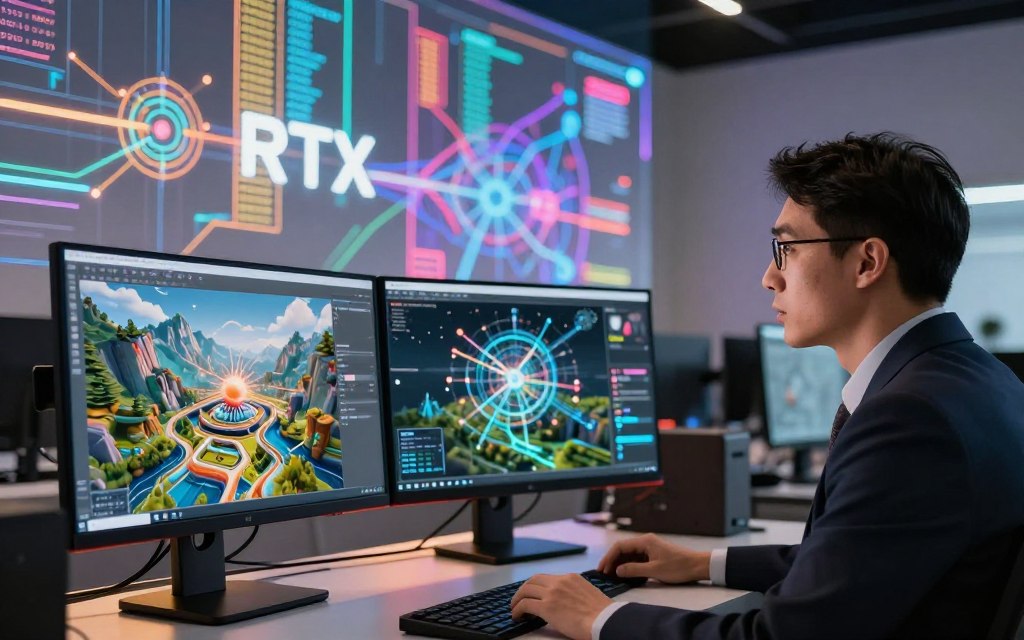
RTX technology serves many professional fields beyond gaming. It supports professional content creation, AI development, and scientific visualization. RTX for content creation and research helps professionals achieve strong results.
Professional Content Creation and 3D Rendering
In content creation, RTX technology improves workflows in NVIDIA Studio, Blender, Autodesk tools, and Adobe software. A 3D rendering GPU provides faster previews and final renders, helping users stay productive.
RTX acceleration can shorten timelines for effects and encoding. It improves 3D viewport rendering and physically based rendering, creating a more efficient process. Benefits depend on software support and project complexity.
AI Development, Machine Learning, and Data Science
RTX technology also excels in AI development and machine learning. Tensor Cores and CUDA software libraries speed model training and inference. This helps with computer vision, generative AI, and other data science tasks using a machine learning GPU.
Data science professionals can process large datasets more effectively. Although high gaming frame rates impress, professionals often prioritize substantial VRAM, certified drivers, and multi-GPU support for optimal performance.
Scientific Visualization and Medical Research
In scientific fields, RTX technology supports scientific visualization and medical imaging. Applications include molecular visualization, computational simulation outputs, and interactive analysis of volumetric data. RTX GPUs handle complex computations and help researchers visualize intricate data sets.
RTX assists visualization but cannot validate medical conclusions or replace specialized clinical systems. Successful institutional use depends on software compatibility, memory capacity, and data security.
7. Comparing RTX to Competing Graphics Technologies
Comparing RTX with competing graphics solutions reveals their different strengths. Understanding NVIDIA’s RTX and AMD’s Radeon technologies helps consumers make informed decisions.
NVIDIA RTX Versus AMD Radeon Technologies
When comparing RTX vs Radeon, consider rasterization, ray tracing, AI upscaling, memory capacity, and power efficiency. NVIDIA’s RTX series excels in ray tracing and AI enhancements. AMD ray tracing is hardware-accelerated on Radeon products, alongside image-enhancement technologies.
Both brands offer competitive pricing and driver support, but their approaches vary by generation. Recent AMD offerings have closed the gap, making the competition more interesting.
Software Alternatives: DirectX Raytracing and Vulkan RT
Separate hardware capabilities from software APIs. DirectX Raytracing and Vulkan Ray Tracing provide frameworks that let applications access ray-tracing features. They do not directly compete with GPU brands; performance depends on the specific GPU, driver, game engine, and API.
Industry Adoption and Ecosystem Support
NVIDIA’s GPU ecosystem includes CUDA, RTX Remix, and DLSS, which can influence buying decisions. AMD’s cross-platform standards and technologies also strengthen its market position.
Game Engine Integration and Developer Tools
Support for popular game engines, such as Unreal Engine and Unity, is crucial for developers. Broad game engine support can reduce development friction, but games may implement features differently. Tools and workflows provided by both NVIDIA and AMD remain essential for developers seeking maximum performance.
| Feature | NVIDIA RTX | AMD Radeon |
|---|---|---|
| Ray Tracing Performance | Superior | Competitive |
| AI Upscaling | DLSS | FidelityFX |
| Power Efficiency | High | Moderate |
| Price Range | Varies | Varies |
| Driver Support | Excellent | Good |
8. The Future of RTX Technology and NVIDIA Graphics
Graphics technology is changing fast, and NVIDIA’s RTX technology leads this shift. The future of RTX will focus on AI-driven rendering, cloud computing, and next-generation hardware.
Emerging Trends in AI-Driven Rendering
AI-driven rendering will change how people create and view graphics. With the advent of neural graphics, image reconstruction and denoising should improve greatly. Developers can then build realistic materials and procedural content for richer visual experiences.
Advanced path-tracing workflows may combine rasterization, ray tracing, and neural processing. This hybrid method could improve performance and image quality for gamers and creators.
Integration with Cloud Computing and GeForce NOW
Cloud computing is another frontier for RTX technology. Services like GeForce NOW let users play RTX games without powerful local hardware. Remote GPUs can stream games and applications smoothly, making advanced graphics more accessible.
Challenges include limited internet bandwidth, latency, and subscription costs. Data center access and game library size will also shape cloud GPU success.
Predictions for Next-Generation Hardware
As next-generation GPUs arrive, competition will grow in several areas. Key factors include ray-tracing throughput, AI acceleration, and memory capacity. Manufacturers may improve energy use and reduce latency through chiplet designs or advanced packaging.
RTX progress will not be measured by frame rates alone. Developers will also weigh image quality, responsiveness, and performance per watt. The future of RTX depends on silicon, drivers, game engines, AI models, and cloud infrastructure creating unparalleled gaming experiences.
| Trend | Description | Impact |
|---|---|---|
| AI-Driven Rendering | Utilization of neural graphics for enhanced image quality and realism. | Improved visual fidelity in games and applications. |
| Cloud Computing | Access to RTX capabilities via streaming services like GeForce NOW. | Increased accessibility for gamers without high-end hardware. |
| Next-Generation Hardware | Focus on ray-tracing throughput, AI acceleration, and energy efficiency. | Better performance and lower power consumption in future GPUs. |
9. Conclusion
The what is RTX technology summary shows why RTX matters in modern graphics. NVIDIA’s RTX uses advanced GPU hardware and software for exceptional rendering capabilities. It improves real-time ray tracing, creating realistic lighting and shadows for gaming and professional applications.
RT Cores, Tensor Cores, and CUDA Cores work together. This synergy supports AI-assisted upscaling and frame generation, improving performance across various workloads. RTX benefits vary by model, because GPU generation, VRAM, and application support affect real-world performance.
When choosing an RTX GPU, consider your specific needs. For gamers, NVIDIA ray tracing and DLSS benefits are vital. Target resolution and refresh rate also matter.
For creators and researchers, VRAM and software compatibility may matter more. Graphics rendering keeps evolving, and RTX technology brings graphics and artificial intelligence together.
As we look to the future, RTX technology will continue shaping how we experience digital content. It shows NVIDIA’s commitment to innovation in graphics and computing.


 By
By